

Popdock's Supply Chain Reporting: Sales Bookings in Microsoft Dynamics 365 Business Central

by John Ellis, Supply Chain Management and Production Consultant
eOne’s Popdock application for Microsoft Dynamics 365 Business Central provides reporting for all facets of the business, including supply chain.
For decades, business intelligence developers have built SQL views surfaced through traditionalreporting tools such as Crystal Reports and SQL Server Reporting Services.
While those tools still have a place, particularly for pixel-perfect operational documents,
modern analysis is moving toward intuitive, self-service platforms.
Popdock delivers that experience for Dynamics 365 Business Central today, through features
like Merge List.
Date Filtering for Sales Shipments
One of our clients required a summarized list combining data from Sales Invoices, Sales
Shipments, and Sales Orders for products already shipped to customers.
This is a Sales Booking report and, thanks to eOne’s robust reporting technology, we have a
very grateful client!
This list displays columns for customer name, document number, document date, and total
document sales amount, as well as a total for sales amount:
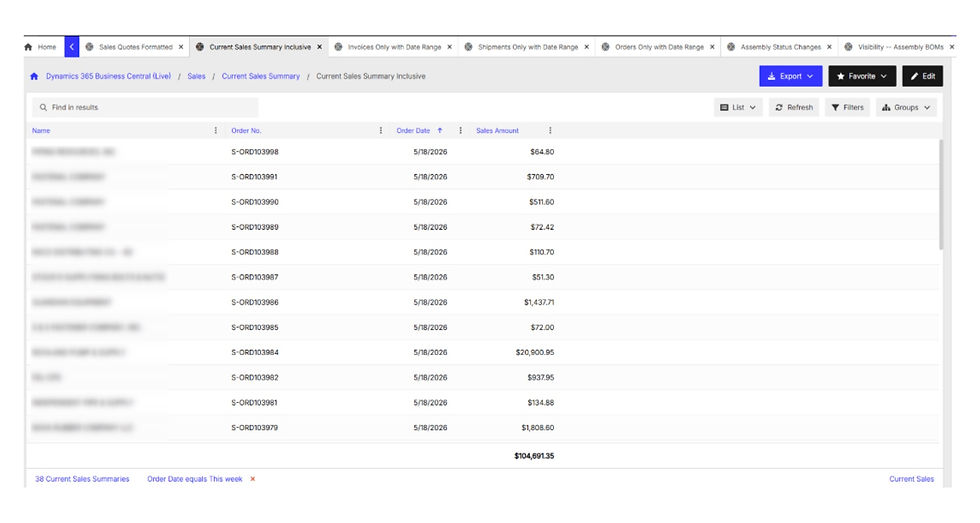
Popdock’s “Filters” button shows that this report is based on this week’s sales:
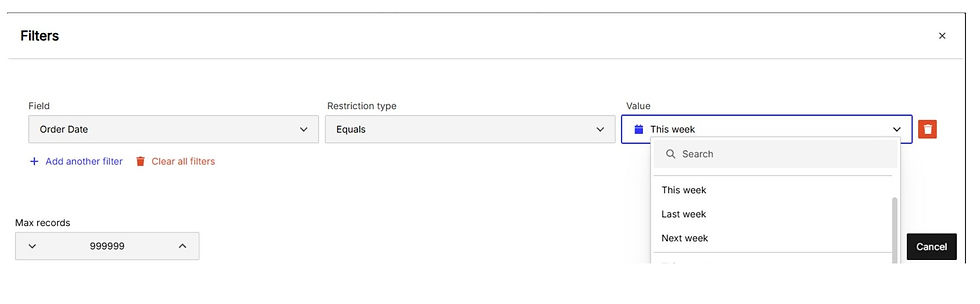
In addition to filtering Order Date for This week, Last week, and Next week, Popdock provides filtering for the following timeframes among others:
This month / Last month
This quarter / Last quarter
This year / Last year
Filtering based on a point in time outlines the power of Popdock!
Merge List
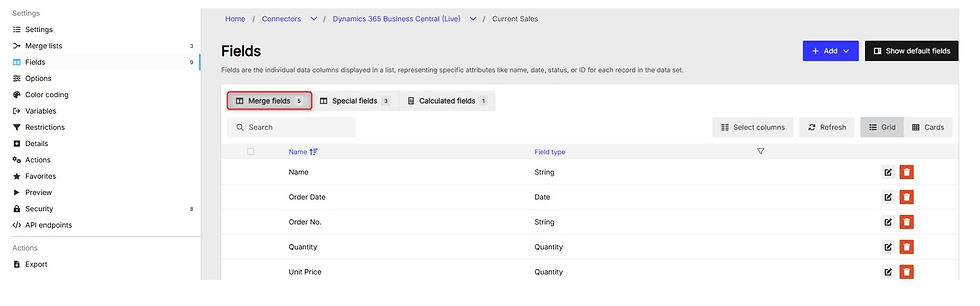
Merge List joins three Popdock Lists: Current Sales Data, Current Sales Invoices Data, and
Current Sales Shipments Data:

The “Merge fields” tab is where we selected the fields, from all three Lists:
The “Special fields” tab contains three default system-related fields that are typically not used:

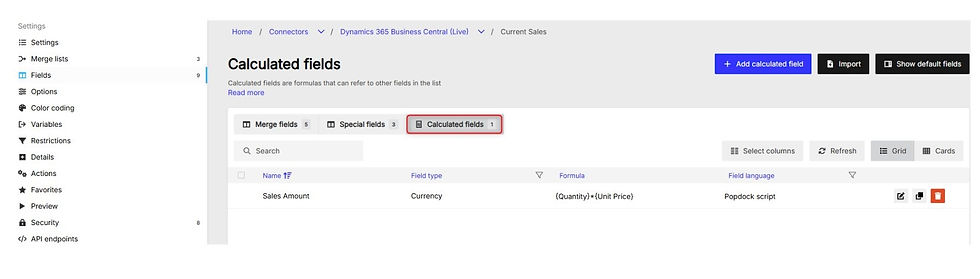
The “Sales Amount” field used in the “Bookings” report multiplies the Quantity and Unit Price fields, from each of the three Lists:
After merging the three Lists, Popdock groups and summarizes the data. Any developers out there will recognize this concept as SQL’s “Group By” programming:
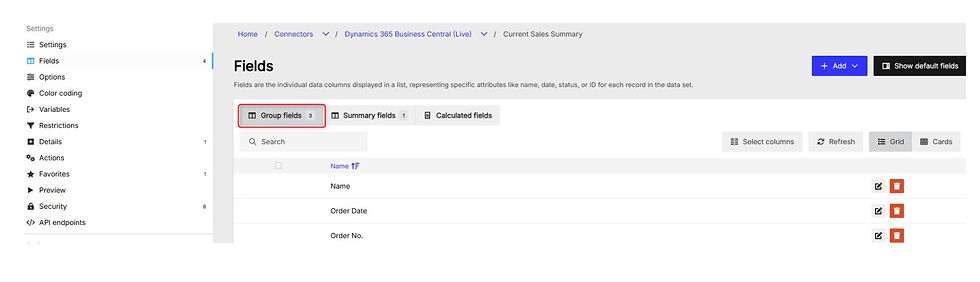
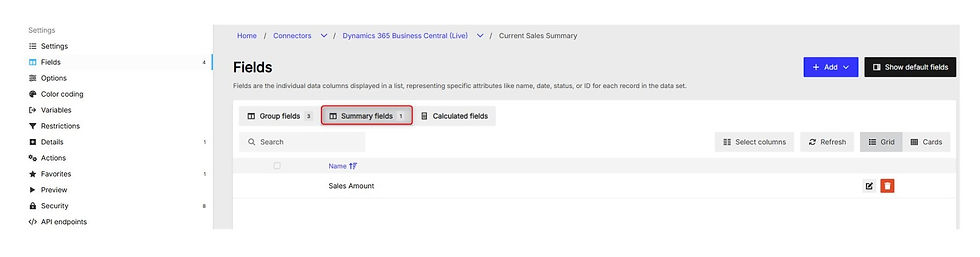
These three Group fields and the one Summary field are the four columns of the report.
Taking a Look “Under the Hood”
The next three screenshots show the tables of each of the three combined Lists, along with the necessary tables joins and restrictions.
Current Sales Data represents open and released sales documents, other than Sales Quotes:
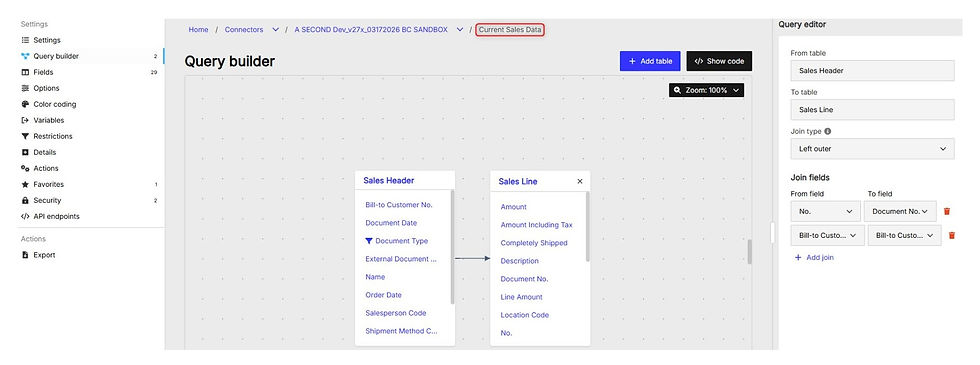
Current Sales Shipments Data contains shipped, but not invoiced, sales data:

Current Sales Invoices Data contains Posted Sales Invoices:
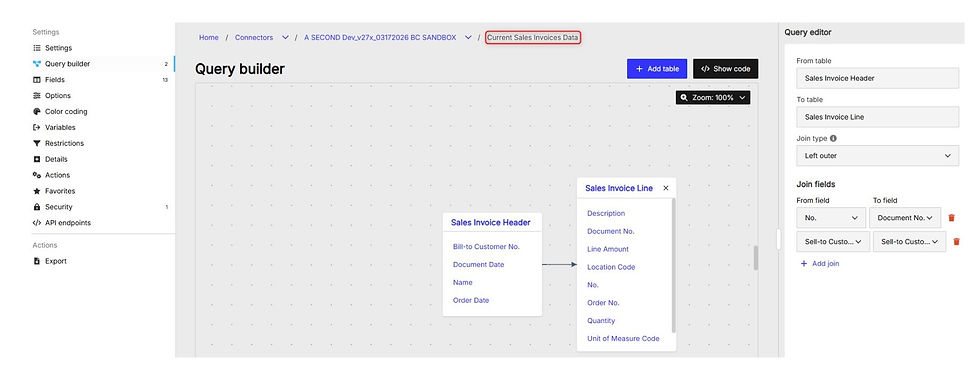
Business Intelligence
In addition to exporting to Microsoft Excel, we can easily create several types of charts such as the bar chart shown here:

Slicing and dicing, and drilling into the details of each bar, is equally as easy:


Popdock makes it possible for non-technical users to build sophisticated, real-time reports inside Microsoft Dynamics 365 Business Central.
Whether you need Sales Bookings, inventory summaries, or custom supply chain views, Popdock's Merge List and date filtering capabilities put the power of business intelligence in the hands of your team — not just your IT department.
Interested in seeing Popdock in action for your Business Central environment? Contact Turnkey Technologies to get started today!


